How to make a Can I Ride dance AI video
By Sendare AI Studio · Updated October 23, 2026 · Verified sources listed below
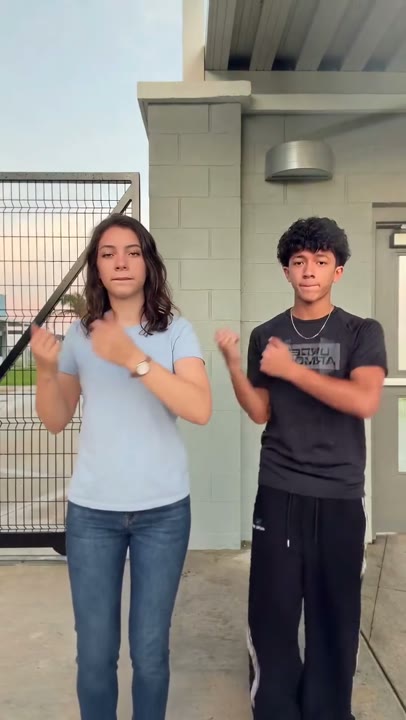
Choreographed by Temi and Spencer Anderson and propelled past 1.5 million views by @joseriveraa_ on October 9, 2026, the two-person 'Can I Ride' dance is one of October 2026's biggest friend-duo trends on TikTok. Here is how to put yourself and a friend into the 10-second routine from two photos without learning a single step.
Make your own Can I Ride Dance video
One photo, 10s 720p MP4 with synced soundtrack, no watermark. $9.90 one-time.
How do I make the Can I Ride dance AI video step by step?
1) Pick two clear, front-facing photos — one person in Photo 1 (left dancer) and one person in Photo 2 (right dancer). 2) Upload both on Sendare's Can I Ride Dance AI page. 3) Choose a one-time pack ($9.90 for 1 video, no subscription) and press Put me in the video. 4) Wait 4 to 8 minutes while Seedance 2.5 renders the 10-second 720p vertical duo dance. 5) Download the MP4 with the 'Can I Ride' audio synced.
What song is used in the Can I Ride dance trend?
The track is 'Can I Ride' by house duo SIDEPIECE and 95 South (built around the vocal hook from 95 South's 'Whoot, There It Is'). Your downloaded MP4 comes with the song synced to the claps and knee kick.
Who dances on the left and who dances on the right?
Photo 1 always becomes the dancer on the left, and Photo 2 always becomes the dancer on the right. Make sure each uploaded image contains only one person so the AI never swaps or blends their faces.
What happens in the 10-second Can I Ride routine?
0–1.25s: both dancers step into line side by side; 1.25–4s: chest-height hand rolls and shoulder bounces on the bassline; 4–7.5s: sharp claps and wide alternating arm swings; 7.5–10s: a synchronized high knee kick on the 'Can I Ride' vocal hook and a closing grin.